ai invoice scanner
ai invoice scanner: plain-language notes on capture, exports, and when specialist receipt software beats a generic folder. Not tax advice—workflow advice.
Jordan Reeves
Head of product, AiReceiptScanner
ai invoice scanner is about turning invoices—PDF or paper—into rows you can reconcile without retyping. The direct answer: you need OCR plus layout handling, then a human glance on anything above your pain threshold.
Nine times out of ten the bottleneck is not the scanner. It is three people maintaining parallel spreadsheets named FINAL_v9_REALLY.xlsx. Pick one workspace truth before you tune DPI.

PDFs versus photos: pick the boring winner
Native PDFs from email beat photos for tables. If you must shoot paper, flat surface, tap to focus, one breath, shoot. Crooked glamour shots are how OCR invents new VAT rates.
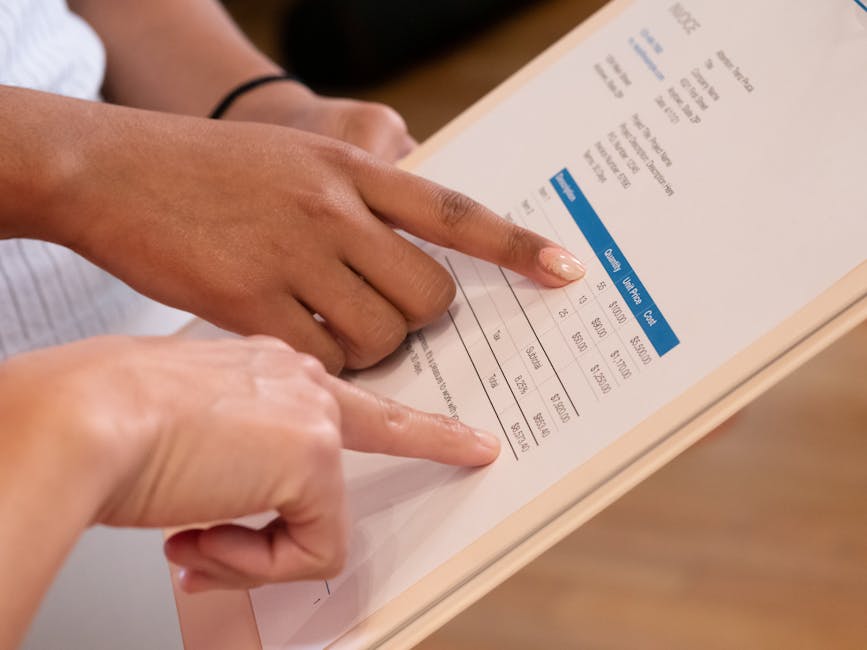
Excel handoff without merged-cell grief
- Freeze column order your bookkeeper signs off once per year.
- Separate supplier bills from card expenses before you automate.
- Keep the PDF attachment even after OCR—storage is cheaper than disputes.

When AiReceiptScanner is the wrong tool
If you only need heavyweight accounts payable inside an ERP you already pay for, stay there. We care about spend evidence and fast capture, not replacing your entire AP module.
Straight answers
Does invoice scanning replace a bookkeeper?
No. It removes typing. Judgment on capitalisation, tax codes, and weird supplier names stays human.
What accuracy should I expect?
On clean inputs, think mid-nineties field-level on sensible products. On coffee-stained war relics, lower. Plan review time.
Is online safer than installed software?
Depends on vendor posture, not the word online. Read encryption, retention, and export clauses like an adult.
Can AI invoice apps post straight to the ledger?
Some can. Fast wrong beats slow right for tax lines. Keep a reviewer until you trust the error budget.
What export should I ask for?
Whatever your accountant already asked for. Changing column order quarterly burns trust.
If you want structured capture without a spreadsheet hobby, open AiReceiptScanner with five ugly receipts and time the export. Solo is $12/mo on annual billing—cheaper than one hour of anyone qualified retyping. If Solo fits, buy Solo. We are not subtle about that.
Disclaimer
General information only, not tax or legal advice. QuickBooks and other names belong to their owners. Check compatibility with your adviser before you bet the farm on a workflow.
Related in Receipt scanning, OCR & AI
More guides in the same category.
- Best receipt scanner app UK in 2026: what to look forCompares features UK users need: HMRC-friendly records, cloud sync, and OCR quality in a receipt scanning app.
- Track business expenses receipts automatically: what “automatic” really meansClarifies OCR, bank feeds, and rules for track business expenses receipts automatically.
- Automate receipt processing accounting: where AI helpsHonest look at automate receipt processing accounting with AI vs human review.
Ready to organize your receipts?
Upload a receipt below and see how our AI extracts every detail automatically. No sign up required for your first scan.
Upload receipts and invoices
Drag and drop or click to browse
Jordan Reeves
Head of product, AiReceiptScanner
Writes about receipt scanning, expense tracking, and HMRC-friendly digital records for AiReceiptScanner readers.